
You start a Zoom, Microsoft Teams, or Google Meet call. A few seconds later, an automated assistant with a friendly name requests access to join. It transcribes every word spoken, isolates action items, and emails a crisp, clean summary to everyone’s inbox within minutes.
It feels like magic. It saves hours of manual administrative work. And that is precisely why your employees started using these tools long before anyone in leadership thought to ask a critical question:
Where does all that audio and the sensitive corporate strategy inside it actually go?
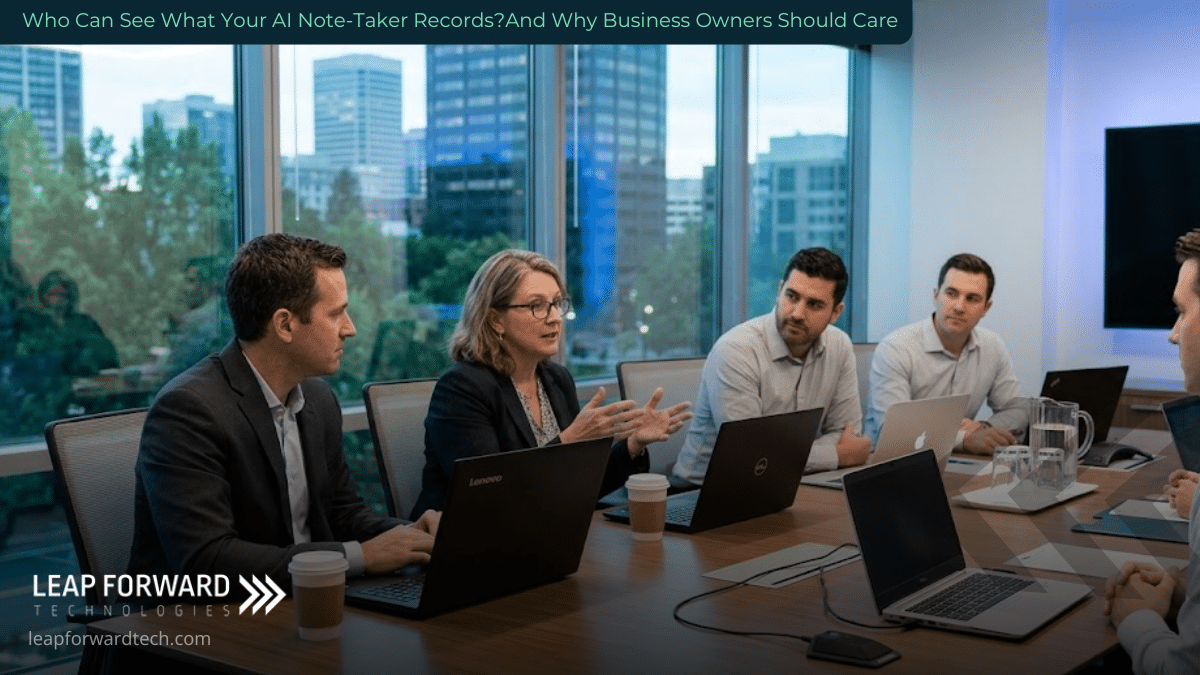
When you bring an AI note-taker into a meeting, you aren’t just using a smart recorder. You are inviting an external third-party software vendor into a room where confidential business moves, HR issues, client data, and financial figures are discussed candidly.
If you haven’t audited where those recordings live or who owns them, your business might be exposing critical data without realizing it.
What Happens Behind the Curtain of an AI Note-Taker?
Tools like Otter.ai, Fireflies.ai, Fathom, and Microsoft 365 Copilot operate by integrating directly with user calendars. They automatically pop into scheduled calls, capture high-definition audio and video, transcribe speech to text, and process the results through large language models (LLMs).
The convenience is undeniable. The blind spot is what happens after the call ends.
Unlike a human employee taking written notes in a local notebook, an AI note-taker processes and stores data in the cloud. That audio doesn’t just evaporate. It becomes a searchable, exportable digital asset sitting on a server somewhere.
Whose server? That depends entirely on the application being used and the fine print your team agreed to when they clicked “I Accept.”
The Three Invisible Privacy Risks Sitting in Your Meetings
To understand your corporate exposure, you have to break down how different AI vendors handle meeting intelligence:
1. Uncontrolled Data Storage and Access
When third-party note-takers record a meeting, the data typically lands on the vendor’s cloud servers. That means the vendor’s systems and potentially their internal support staff under specific troubleshooting conditions have technical access to your conversation.
If an employee connects a free or personal account to an enterprise call, that meeting transcript lives inside an unmanaged, unmonitored account outside your IT department’s oversight.
2. The AI Training Loophole
Not all AI vendors handle data confidentiality the same way. Some third-party tools retain user transcripts to train and fine-tune their underlying AI models. If a vendor uses your meeting data for model training, fragments of your business conversations could theoretically inform the outputs of future AI interactions for other users.
Conversely, enterprise-grade solutions handle this strictly. Microsoft 365 Copilot in Teams, for instance, does not use your prompts, meeting content, or responses to train public AI models. Your data remains anchored inside your organization’s dedicated Microsoft 365 security boundary.
3. Unintended Data Distribution & Legal Risk
Many AI bots default to emailing full transcripts and summaries to every participant on a calendar invite including external vendors, candidates, or guests who declined the meeting.
If sensitive HR matters, financial forecasts, or proprietary intellectual property are discussed on that call, confidential data gets distributed automatically to unauthorized parties. Furthermore, legal analysts have pointed out that allowing an unvetted third-party software vendor to record privileged conversations can inadvertently compromise attorney-client privilege.
The Consent and Compliance Problem
Recording a conversation isn’t just an internal operational decision it carries regulatory weight.
- State Wiretapping Laws: Around a dozen U.S. states operate under “all-party consent” laws, requiring every single person on a call to explicitly agree to being recorded.
- International Compliance: Under frameworks like GDPR, capturing and processing a person’s voice and name qualifies as collecting personal data. You must have a lawful basis, explicitly notify attendees, and provide clear justification.
The safest policy? Never rely on hidden or implicit consent.
How to Enjoy AI Productivity Without Sacrificing Security
You don’t need to ban AI productivity tools to keep your business safe. You just need clear guardrails and proper technology management.
Here is a practical framework to secure your organization:
-
Standardize on One Managed Tool: Eliminate “Shadow IT” by designating a single, vetted AI note-taker for company use (such as Microsoft Copilot integrated into an existing secure environment). Prohibit unapproved third-party bots on company calls.
-
Disable Automatic Auto-Join: Configure tools so they do not join calls by default. Require users to manually activate recording only when appropriate.
-
Keep Data Within Your Tenant: Prioritize tools that keep transcripts inside your existing secure cloud perimeter (like Microsoft 365 or Google Workspace) rather than floating on external third-party servers.
-
Establish a Standard Announcement Protocol: Train team members to announce at the start of a meeting that an AI assistant is active, giving participants an immediate opportunity to opt out.
-
Restrict Bots in Sensitive Contexts: Establish a firm policy: no AI recorders in performance reviews, legal consultations, board meetings, or highly sensitive client briefings.
-
Enforce Administrative Policies: Use tenant-level admin controls to restrict unauthorized app integrations and enforce automated retention/deletion schedules for meeting transcripts.
Frequently Asked Questions
Is it legal to record a business meeting using an AI note-taker?
Legality depends on location. Federal U.S. law and most states require “one-party consent,” meaning only one person on the call needs to know it is being recorded. However, roughly 12 states require consent from all participants. The safest, most professional policy across all jurisdictions is to inform attendees immediately as the meeting starts.
Does Microsoft Copilot use our company’s meeting data to train its models?
No. Microsoft 365 Copilot maintains enterprise data protection. Your meeting transcripts, summaries, and user prompts remain confined within your organization’s Microsoft 365 tenant and are not used to train foundational AI models.
Can an AI bot join a call if the host didn’t invite it?
Yes. If an attendee has synced an AI note-taker with their calendar, the tool may automatically join any call listed on that calendar even if that attendee arrives late or misses the meeting entirely. This setting can and should be disabled in the application’s account preferences.
Taking Control of Your AI Security Boundary
Artificial intelligence is one of the most powerful leverage points available to modern businesses, but adopting it blindly creates unnecessary risk. Managing AI tools requires the same diligence as managing your firewalls, cloud backups, and network access points.
If you are evaluating how to deploy AI tools safely or want to make sure your team’s current setup isn’t leaking confidential data our team is here to help.
Leap Forward Tech provides straightforward, modern managed IT services, cloud governance, and cybersecurity strategies designed to keep businesses efficient, secure, and ahead of tech shifts. Whether you operate in West Central Minnesota, Southwest Minnesota, or beyond, we help you leverage powerful tools like Microsoft 365 Copilot without giving up control of your data.
Reach out to Leap Forward Tech today to audit your tech stack and build a clear, secure AI roadmap for your team.
More from the Blog
What Are Passkeys, and Should Your Business Use Them?
Every morning, the same silent tax is collected across your company. It’s the 69 seconds an employee spends resetting a…
How to Prepare Microsoft 365 Permissions for a Safe Copilot Rollout
Enabling Microsoft 365 Copilot without auditing your data permissions is the digital equivalent of inviting a hyper-efficient investigative journalist to…
How to Stop Misconfigurations Before They Stop You
Moving your business operations to the cloud gives your team incredible speed and flexibility. It also opens up a brand-new…