
Enabling Microsoft 365 Copilot without auditing your data permissions is the digital equivalent of inviting a hyper-efficient investigative journalist to rummage through your company filing cabinets. It doesn’t steal your data, but it will absolute surface things you forgot were out in the open.
The promise of generative AI at work is spectacular instant summaries, automated reporting, and hours clawed back every week.
But AI doesn’t create security risks out of thin air; it simply shines a high-powered spotlight on the ones that have been quietly breeding in your IT environment for years.
A truly safe Copilot rollout requires a hard look at your data governance before anyone clicks “activate.”
The Reality of “Permission Drift”
Microsoft Copilot operates on a simple rule: it can only access what the individual user has permission to see. If an employee asks Copilot a question, the AI scans emails, chats, SharePoint sites, and OneDrive files that the user is authorized to open.
On paper, that sounds secure. In reality, it’s a massive vulnerability.
Over years of operational life, permissions naturally drift. It usually starts innocently:
- “Just give Sarah access to the Henderson folder for this afternoon’s meeting.” * Two years later, Sarah has been promoted, the Henderson project is closed, but her read permissions remain entirely intact.
Multiply that minor oversight by dozens of employees, hundreds of projects, ad-hoc Teams channels, and external sharing links that never expired. The result is a sprawling web of access that no single person in management fully maps out.
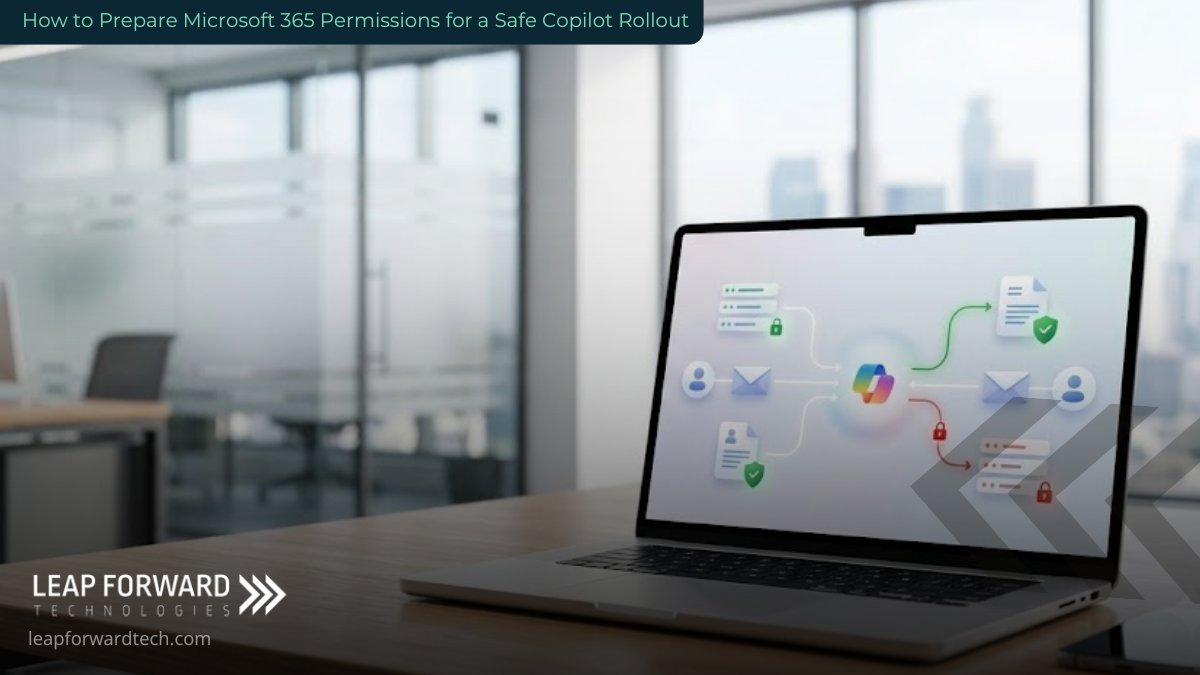
[User Request] ➔ [Microsoft Graph API] ➔ [Scans Legacy Permissions] ➔ [Surfaces Hidden Data]
The Industry Divide: Operations vs. Intellect
For a standard trades or manufacturing business, the bulk of this data is operational think production schedules or inventory logs. The fallout of an unauthorized eyes-on scenario is usually localized.
For professional services firms like legal practices, accounting offices, or financial consultancies the dynamic changes completely. The data is the product. Client files, settlement terms, fee configurations, and sensitive HR records constitute the core asset of the company. If the environment isn’t properly scoped, the core business model faces exposure.
Five Scenarios You Want to Avoid
When broad permissions meet a natural language processor, information that used to require deep digging is suddenly a single sentence away. Here is what can happen when Copilot is deployed over an unaudited tenant:
| The Employee Query | The Unintended Source Document | The Operational Fallout |
| “What is everyone’s current salary?” | An HR spreadsheet shared with a line manager during a 2024 hiring round that was never unshared. | Immediate compromise of internal compensation privacy and team morale. |
| “Summarize our active M&A deals.” | A pipeline tracker sitting in a partner’s personal OneDrive, shared once for an annual review. | Exposure of highly confidential commercial strategies to unauthorized staff. |
| “Find everything mentioning [Former Employee].” | A detailed termination memo and severance calculation saved to a general corporate SharePoint folder. | Legal risk and exposure of private executive decisions to the wider team. |
| “What is our exact markup on client work?” | An internal pricing strategy sheet left open in an archived Microsoft Teams channel. | Erosion of competitive advantage and internal friction over client billing dynamics. |
| “Summarize the recent client case.” | A historical SharePoint folder from an old project where team membership was never cleaned up. | Direct violation of client confidentiality agreements. |
The intent of the person asking these questions is irrelevant. The core issue is that the capability exists. Microsoft’s own official deployment blueprint places remediating oversharing as the absolute first pillar of work, long before any useful AI results can be generated.
The Myth of the “Safe Executive Pilot”
When businesses feel uncertain about a new technology, the instinctual move is to run a small, controlled trial with three or four senior executives. This feels conservative, but it actually creates the highest-risk environment possible.
Senior executives hold the keys to the kingdom. They possess the widest data access profiles in the entire organization. Running a pilot exclusively with leadership means Copilot has full clearance to crawl the most sensitive financial, legal, and operational data you own. If a license gets reassigned haphazardly or a laptop is left unlocked, the blast radius is maximized.
Furthermore, pilot environments are notoriously slippery. A license gets passed to an operations manager because a partner “doesn’t have time to test it this week.” The access profile changes, but the oversight doesn’t catch up.
The Reality Check: Audit logs will tell you exactly what Copilot looked up after a data leak occurs, but they cannot unshare information that has already been read.
The Pre-Rollout Cleanup Plan
Executing a Microsoft 365 permissions for Copilot rollout means executing a specific, four-part structural cleanup. This process generally takes between four to eight weeks for organizations with 25 to 100 users.
1. The SharePoint Sharing Audit
Utilize SharePoint Advanced Management tools to pull a comprehensive content assessment. This reporting isolates patterns of oversharing, pinpoints legacy inactive sites, and flags folders configured to allow “Everyone except external users” access.
2. OneDrive External Share Scrape
Examine historical file links sent outside the organization that lack expiration dates. This step is non-negotiable for firms dealing heavily in client advisory roles, where documents are frequently distributed for external signatures or reviews and then forgotten.
3. Teams Membership Recalibration
Review old projects and archived channels. If a team member left a project squad a year ago but remains listed in the digital channel, Copilot still considers them an authorized viewer of all files stored within that group’s ecosystem.
4. Implement Purview Sensitivity Labels
Microsoft Purview is the foundational framework that tells your system what content is ordinary and what is sacred. By applying explicit sensitivity labels to files containing payroll, legal disputes, or proprietary code, you can establish automated Data Loss Prevention (DLP) policies that tell Copilot: Do not index this file under any circumstances.
[Apply Sensitivity Label] ➔ [Trigger DLP Policy] ➔ [Copilot Automatically Excludes Document]
The Litmus Test: One Question for IT
If you want to know whether your business is actually prepared to test AI capabilities today, send this exact message to whoever manages your infrastructure:
“Can you provide a report listing every file in our tenant that is currently accessible to more than ten people, specifically flagging any that contain client names, financial metrics, or salary data?”
If your IT team or managed service provider can deliver a structured report within 48 to 72 hours, your infrastructure is actively managed and well-positioned. You have a solid baseline to begin a phased deployment.
If the response is, “We would need to purchase additional tools and spend a few weeks enabling logging protocols to figure that out,” you have your answer. Your permissions have drifted, and the foundational audit needs to happen before any trial licenses are assigned.
Building a Culture of Data Hygiene
Securing your environment isn’t a one-time project to check off before an AI installation. It represents a permanent shift toward proactive data governance. As business models mature, manual oversight becomes impossible. Successful rollouts establish ongoing, automated scanning loops that continuously strip back redundant permissions and isolate sensitive assets.
For businesses navigating these infrastructure upgrades across West Central and Southwest Minnesota, establishing a clean data foundation is the difference between an efficiency breakthrough and an operational crisis.
If you are looking to deploy AI tools safely, Leap Forward Tech provides the strategic mapping, M365 data governance, and security guardrails necessary to protect your corporate intelligence. Securing your business data ensures your organization moves forward with confidence, rather than caution. Reach out to our team to initiate a comprehensive permissions review before your next major software deployment.
More from the Blog
Who Can See What Your AI Note-Taker Records?And Why Business Owners Should Care
You start a Zoom, Microsoft Teams, or Google Meet call. A few seconds later, an automated assistant with a friendly…
What Are Passkeys, and Should Your Business Use Them?
Every morning, the same silent tax is collected across your company. It’s the 69 seconds an employee spends resetting a…
How to Stop Misconfigurations Before They Stop You
Moving your business operations to the cloud gives your team incredible speed and flexibility. It also opens up a brand-new…